CCC Computer Course
Duration
2-3 Months
Mode
Practical Training
Projects
6 Real Projects
Certificate
Industry Recognized
Career Support
Placement Assistance
A Complete Path From Zero to
Computer Basics Professional
This program is designed for those who want to build a career in computer basics. Over 2-3 months, you'll master research, wireframing, Figma, prototyping, design systems, and portfolio building — guided by industry mentors with hands-on projects.
From user psychology to pixel-perfect interfaces, this course covers the full design lifecycle with real client briefs and peer critiques.
This program is for:
- Beginners with zero design experience
- Graduates looking to enter the product design field
- Developers who want to understand UX
- Entrepreneurs building their own products
- Anyone who wants to switch into a creative tech career
Career Opportunities
After This Course
Lorem ipsum dolor sit amet consectetur. Egestas nunc vitae id faucibus egestas. Viverra lectus lacus lacus ipsum laoreet. Et lorem lacus venenatis aliquet curabitur in euismod urna a.
Computer Operator
₹2–4 LPA
Operate computers independently, manage business records, and handle daily digital tasks.
Office Assistant
₹1.5–3 LPA
Create professional documents, excel reports, and design presentations using MS Office.
Data Entry Operator
₹1.5–3.5 LPA
Improve typing speed and accuracy for fast data processing and online form filling.
Digital Assistant
₹2–4 LPA
Send professional emails, use the internet safely, and leverage AI tools for everyday tasks.
What You Will Learn
Computer Fundamentals
Understand basics of computers, hardware, software, and Windows OS.
Typing & Shortcuts
Improve typing speed and learn essential keyboard shortcuts for efficiency.
Microsoft Word
Create, format, and edit professional documents, letters, and resumes.
Microsoft Excel
Master data entry, worksheets, formulas, functions, and budget planning.
Microsoft PowerPoint
Design attractive presentations with themes, animations, and transitions.
Internet & Web Browsing
Navigate the web securely, use search engines, and fill online forms.
AI Tools & Productivity
Learn how Artificial Intelligence is changing work and use AI tools for everyday tasks.
Course Curriculum
5 modules • 68 lessons • 2-3 Months of structured learning
Tools & Software
Windows 11
OS
Microsoft Word
Office
Microsoft Excel
Office
Microsoft PowerPoint
Office
Google Workspace
Cloud
ChatGPT / AI Tools
AI
Build Real Portfolio Projects
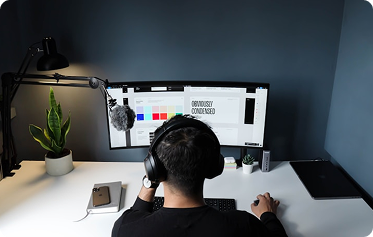
Professional Resume Design
MS Word
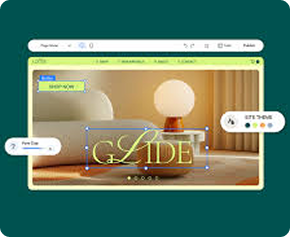
Monthly Budget Calculation
MS Excel
Business Presentation
MS PowerPoint
Online Form Filling & Emailing
Internet Skills

AI Productivity Exercise
AI Tools
File & Folder Management
Windows OS
Our Learning Methodology
Individual Computer Practice with Step-by-Step Guidance.
Daily Practical Sessions covering tools and concepts.
Real-Life Assignments to solidify your understanding.
Office Work Simulation and Typing Practice.
AI Introduction and practical exercises for modern workflows.
Mentor Support and Career Guidance throughout the course.
Learn From
Industry Experts
Our faculty consists of seasoned professionals with years of industry experience




Student Projects &
Portfolio Work
See the amazing work created by our talented students

Student Success Stories

"The industry-focused curriculum and real-world projects gave me the confidence to pursue my passion. Within 6 months of graduation, I was working at Adobe as a Creative Director."
"The mentorship here is unparalleled. I learned so much about user experience and was able to land a job at a top tech company right after completing the course."
"The hands-on projects helped me build a strong portfolio. The skills I acquired in video editing opened doors for freelance opportunities worldwide."
"The practical approach to running campaigns with real budgets gave me the skills to handle high-stakes projects. I landed a Digital Strategist role right after graduation!"

Rakshit Bhatol
Graphic Design...

Krisha Patel
UI/UX Design...

Aarav Sharma
Video Editing...

Neha Gupta
Digital Marketing...
"The industry-focused curriculum and real-world projects gave me the confidence to pursue my passion. Within 6 months of graduation, I was working at Adobe as a Creative Director."
"The mentorship here is unparalleled. I learned so much about user experience and was able to land a job at a top tech company right after completing the course."
"The hands-on projects helped me build a strong portfolio. The skills I acquired in video editing opened doors for freelance opportunities worldwide."
"The practical approach to running campaigns with real budgets gave me the skills to handle high-stakes projects. I landed a Digital Strategist role right after graduation!"
Rakshit Bhatol
Graphic Design...
Krisha Patel
UI/UX Design...
Aarav Sharma
Video Editing...
Neha Gupta
Digital Marketing...
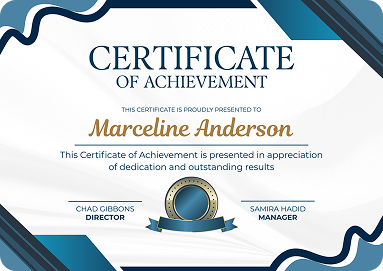
Government Recognized
Certificate & Marksheet
At The Muman CreativeSkool, students who successfully complete the CCC Computer Course receive a Government Recognized Certificate and Marksheet.
- Government Job Applications
- Private Company Jobs
- Office Administration Positions
- Higher Skill Development Programs
Career Benefits & Skills
After completing the course, you'll be confident and ready for the modern digital workplace.
Operate Computers
Operate a computer independently for daily tasks.
Professional Documents
Create professional resumes and letters using MS Word.
Excel & Data
Prepare Excel reports and manage business records.
Internet & Emails
Use the internet safely, send emails, and fill online forms.
AI Productivity
Use AI tools for everyday tasks to increase efficiency.
Ready to get placed?
Talk to our career counselor and get complete support.
Frequently Asked
Questions
Is this course suitable for complete beginners?
Yes. The course starts from the very basics and is designed for students with little or no prior computer experience.
Will I receive practical training?
Absolutely. Every topic is taught through hands-on practice rather than theory alone.
Is this course useful for Government Job preparation?
Yes. Basic computer knowledge, Microsoft Office skills, and digital literacy are valuable for many government and private sector job opportunities.
Will I learn Microsoft Office?
Yes. Students receive practical training in Microsoft Word, Microsoft Excel, and Microsoft PowerPoint.
Will I learn about Artificial Intelligence?
Yes. The course includes a beginner-friendly introduction to AI and teaches how modern AI tools can improve productivity in education, office work, and daily life.
Will I receive a Certificate?
Yes. Students who successfully complete the course are provided with a Government Recognized Certificate and Marksheet according to the institute's certification process.
Ready To Start Your
Creative Journey?
Join thousands of students who have transformed their passion into a successful career